The problem
On the Canta, one indicator light has to say everything about the battery. Only the green LED is used, and it blinks in different patterns for charging, cell balancing and heating. Users cannot tell a normal charging pattern from a real problem, assume something is broken and call the company. That costs support time and trust.
Because the company builds and modifies the Canta itself, the problem can be solved at the source: with a microcontroller between the CAN bus and the indicator.
The approach, in three steps
Step 1 · Smarter LEDs
The same three LEDs, but every situation gets its own pattern. The number of lit LEDs grows with the state of charge, like a bar, and heating and balancing use patterns that never occur during normal charging. The driver checks the situations in a fixed order of priority.
Step 2 · OLED display
A small monochrome OLED (128×64 pixels) shows icons instead of patterns the user has to learn: a battery that fills up with a percentage, a flame when the battery is heated, moving cells while it balances, a plug when no data arrives, and a code for faults. All screens are drawn by my own firmware, pixel by pixel, without a graphics library.
Step 3 · Own circuit board
A dedicated PCB with its own microcontroller, CAN transceiver, power supply and the OLED, so the development board is no longer needed. It is designed to be cheap to assemble and to fit the original indicator location.
The PCB
The first prototype board (35 × 70 mm, two layers) is designed in EasyEDA Pro and ordered. The images below are renders of the design, not photos of the delivered boards.
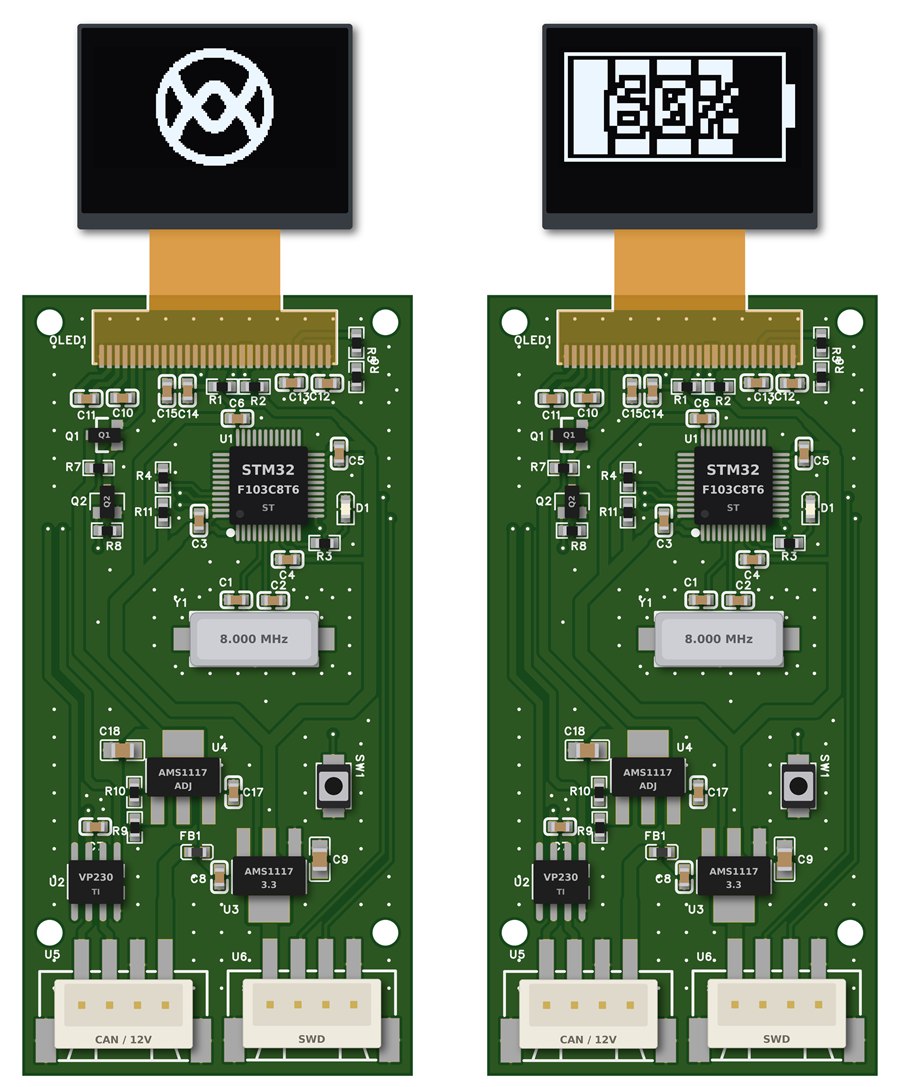
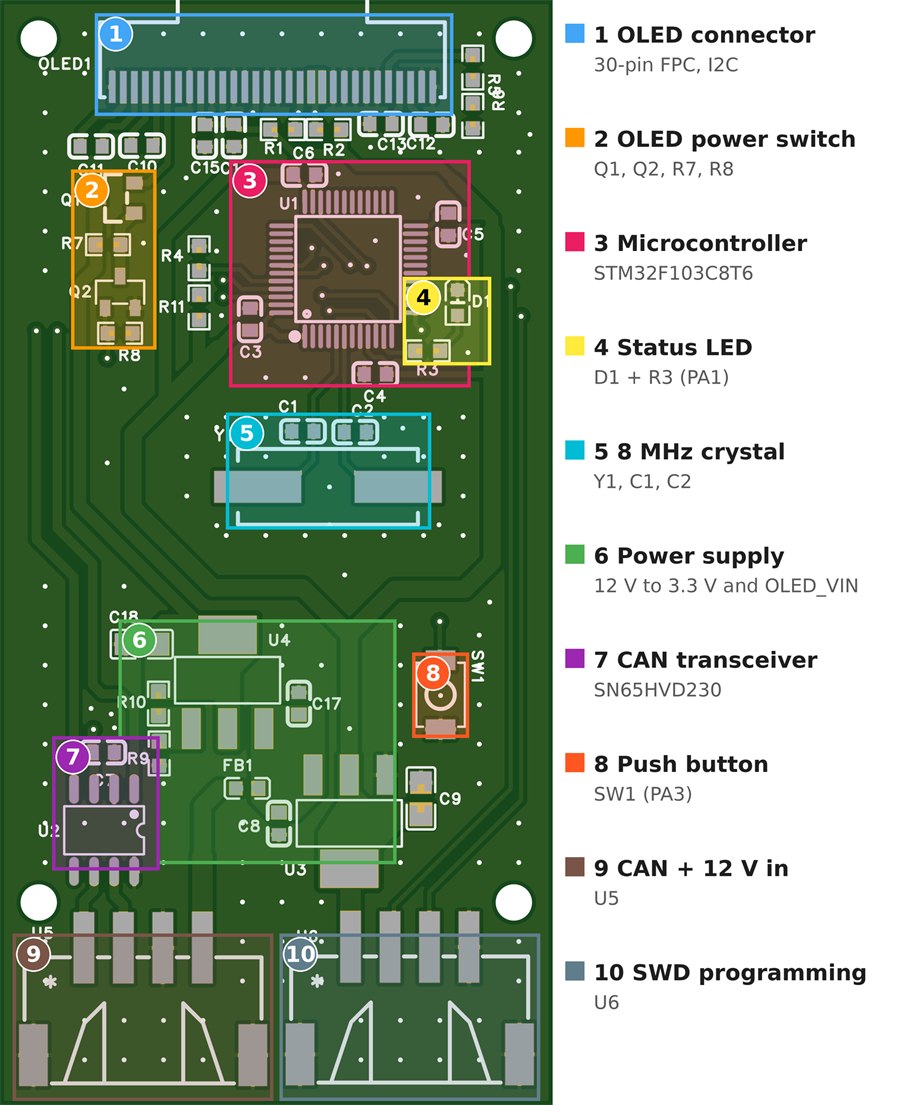
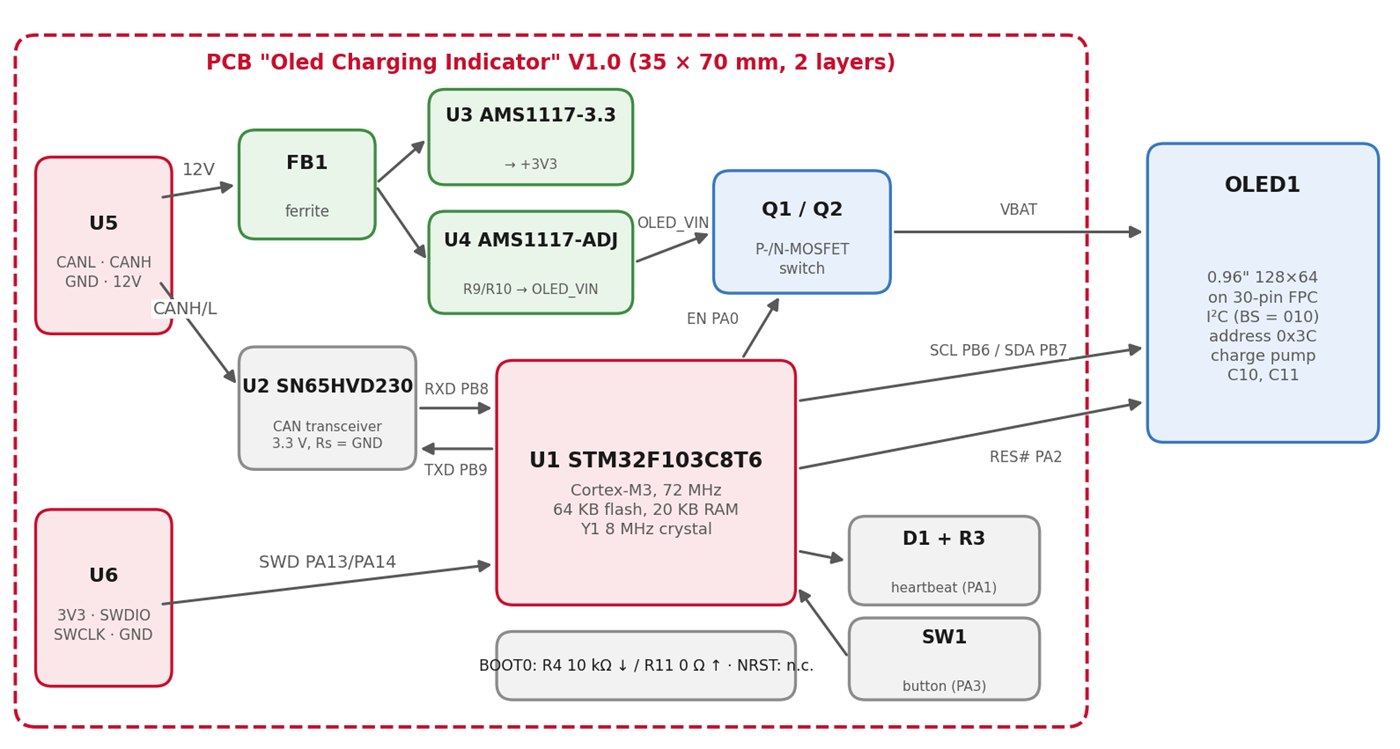
How it's built
- Listen-only. The module only listens on the CAN bus. It never sends messages and the battery management system needs no changes, so it can be retrofitted to existing Cantas.
- Powered while charging. The module is supplied only during charging, so the indication is designed for the charging situation.
- Three messages. The firmware decodes three messages of the battery management system: state of charge, charging stage and diagnostic codes.
- One code base for both versions. The CAN, LED and OLED code live in separate modules, so the LED and OLED versions share the same CAN logic. The drawing code does not depend on the hardware: I can compile it on a PC and render every screen there, and the same code runs unchanged on the PCB's microcontroller.
- Prototyping on a development board. The first two steps run on an Olimexino-STM32F3 board, programmed in C++.
- Choosing the chip. For the PCB I compared four microcontrollers with CAN and I²C. The STM32F103C8T6 is cheaper than the prototype's chip, widely available and comes with a long-term availability commitment from the manufacturer.
- Designed for cheap assembly. Only SMD parts, all on the top side, as many standard ("basic") parts from the assembly service's catalogue as possible, and a programming connector so the firmware can be updated without removing the board. The board is designed in EasyEDA Pro.
Status
The LED and OLED prototypes were finished ahead of schedule, so I could start on the PCB in week 6. The PCB is designed and the first prototype boards are ordered; they have not arrived yet. Still to come: testing the boards, a test on a real Canta, a usability check, and a cost comparison between the current module, the improved LED version and the OLED version. The internship runs until 22 January 2027, and this page will be updated as results come in.
Tools
Want to know more about this project?
I'm happy to walk you through the design.